Qt Cross Compile
Our Qt interface is implemented in Qt Creator 13.0.2 on our host OS. In our case this is a Fedora Linux. When we compile our code, it will be unable to run on the Ultra96-V2. We will first need to cross-compile it.
To do this, we first generate a Software Development Kit (SDK) using the PetaLinux Tools Documentation Reference Guide (Chapter 11). We executed the following steps in the PetaLinux project on our VM:
- Create the
<plnx-proj-root>/project-spec/meta-user/recipes-core/
images/petalinux-image-minimal.bbappend
file. - Add
inherit populate_sdk_qt5in the newly created file. - Run
petalinux-config -c rootfsand selectpackagegroup-petalinux-qt. - Run
petalinux-build -s. - Run
petalinux-package --sysroot.
This created the file sdk.sh in <project-directory>/images/linux/. We copied this file to our host OS and executed it. This created a directory /opt/petalinux/2023.2/in our system with all the needed files to cross-compile.
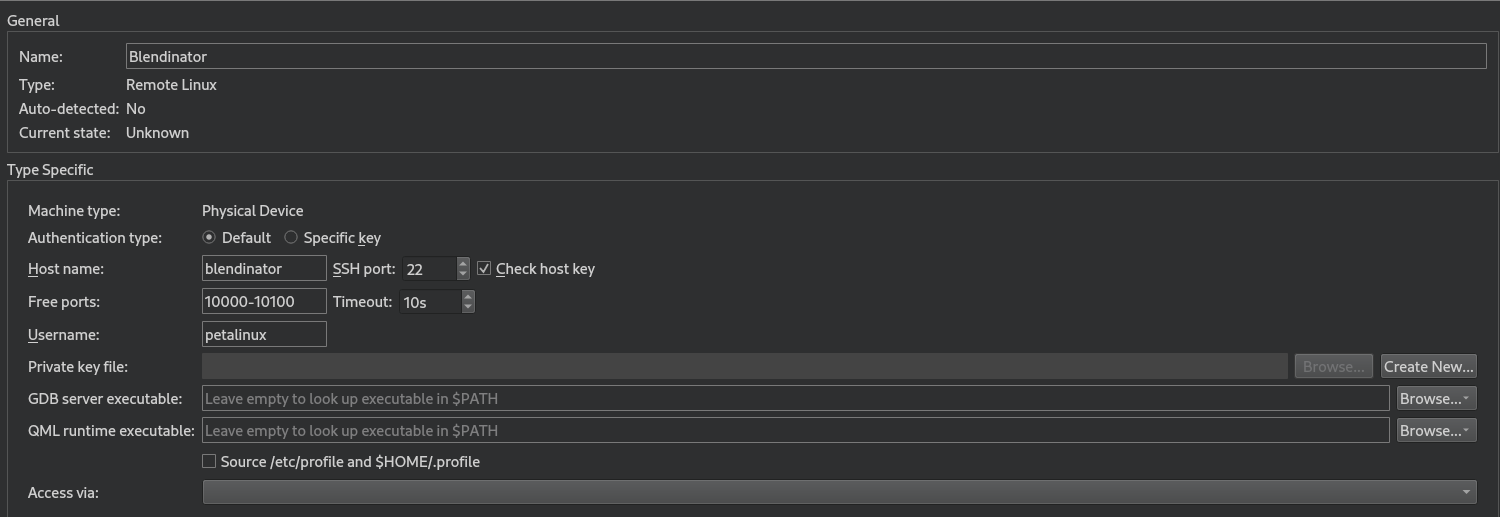
When this is done, we added a device in Qt Creator to connect to the Ultra96-v2. In the image below you can see all the settings that allowed us to connect to the FPGA from inside of Qt Creator using SSH.
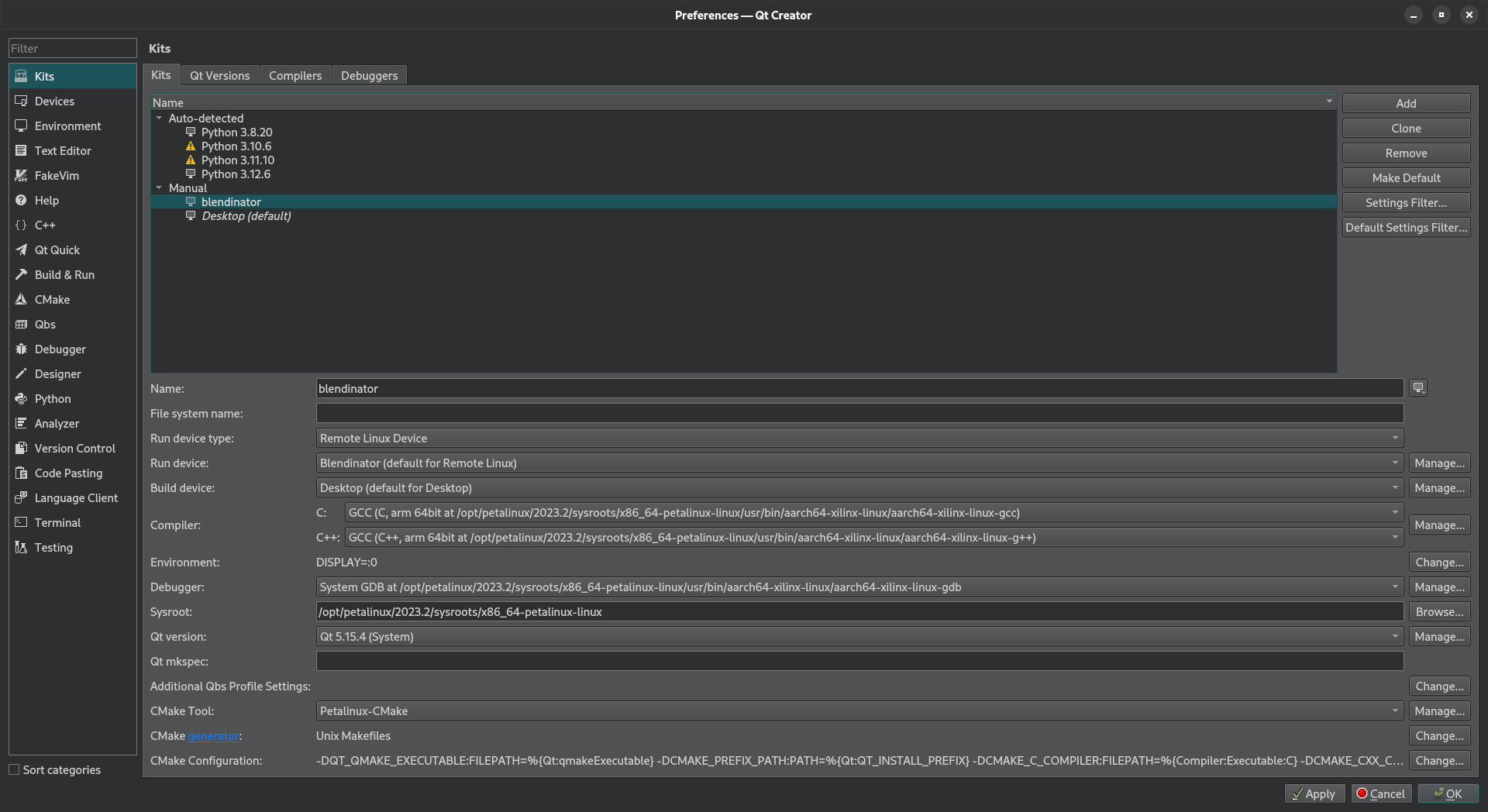
Qt Creator groups settings used for building and running projects as kits to make cross-platform and cross-configuration development easier. Hence, Wwe then created a kit in Qt Creator and selected the run device, C and C++ compilers, debugger, sysroot and Qt version from SDK as you can see in the image below.
We can now build the code for the Ultra96-v2. When we are connected to our device, it will automatically flash to the FPGA. The only thing we need to do now to be able to execute it, is run export DISPLAY=:0 and connect our monitor to the Ultra96-V2. We can also add the export statement to .bashrc so we don't need to run it every time.